

GSAP Animations Documentation - Builderflow Webflow Template
The Builderflow Webflow template includes a custom GSAP animation that enhances your website's interactivity:
Number Counter Animation - Animates numbers counting up when they enter the viewport
This documentation will guide you through using this animation without needing to understand the code itself.
Required GSAP Plugins
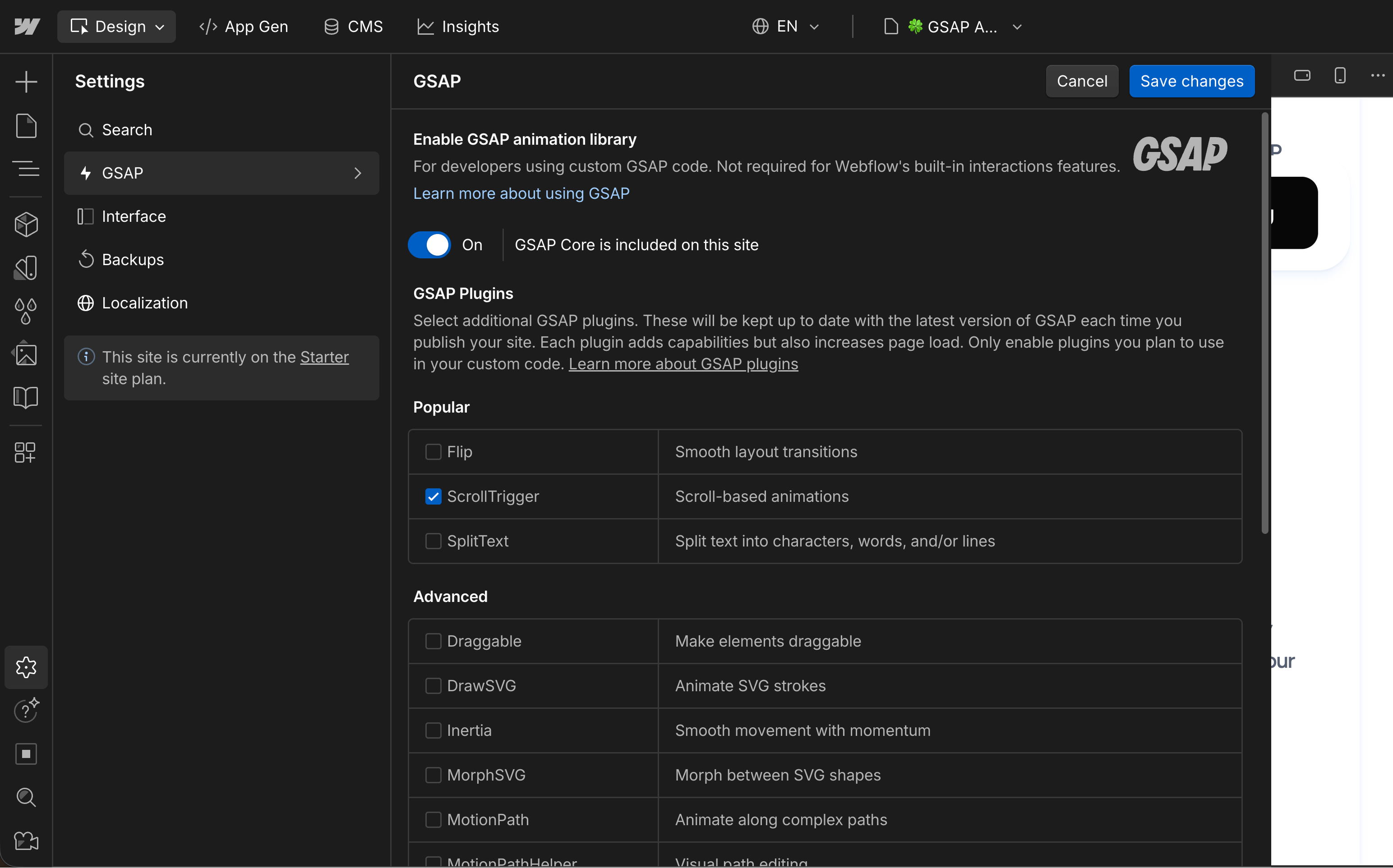
Before working with these animations, you need to enable the correct GSAP plugins in Webflow:
To enable GSAP plugins:
- Click on the Settings icon in the left sidebar
- Navigate to the GSAP section
- Toggle on Enable GSAP
- Select the required plugins:
For Number Counter Animation:
- ScrollTrigger
Important Note: All of this has been previously set up in this template. Only enable the plugins you need. Adding unnecessary plugins can slow down your website by loading extra code.
Number Counter Animation
What It Does
The number counter animation makes numbers count up from 0 to a target value when they scroll into view. Perfect for statistics, achievements, or any numeric data.
How to Set It Up
Required Structure:
You need two things:
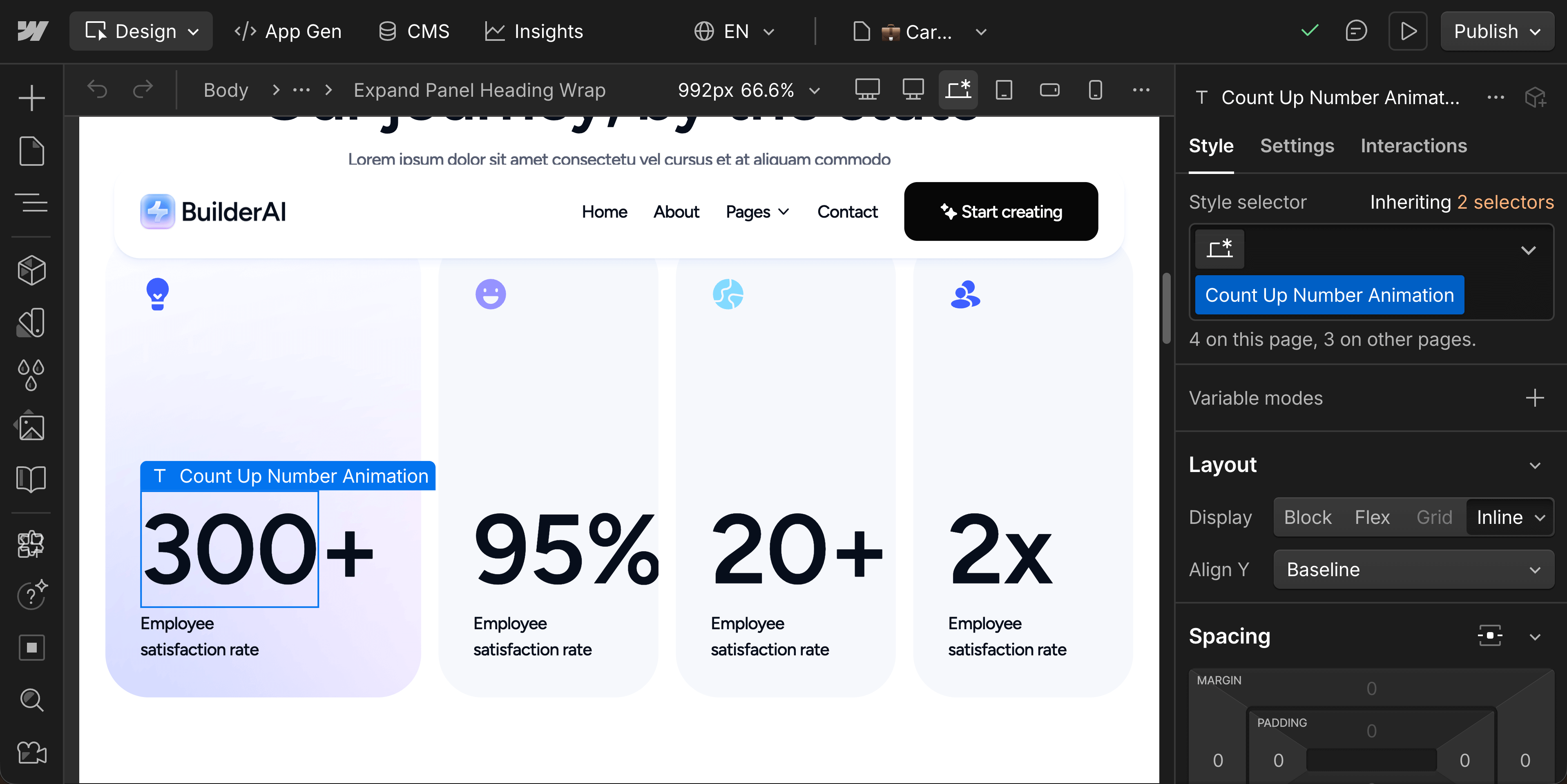
- A text element or span with the class Count Up Number Animation
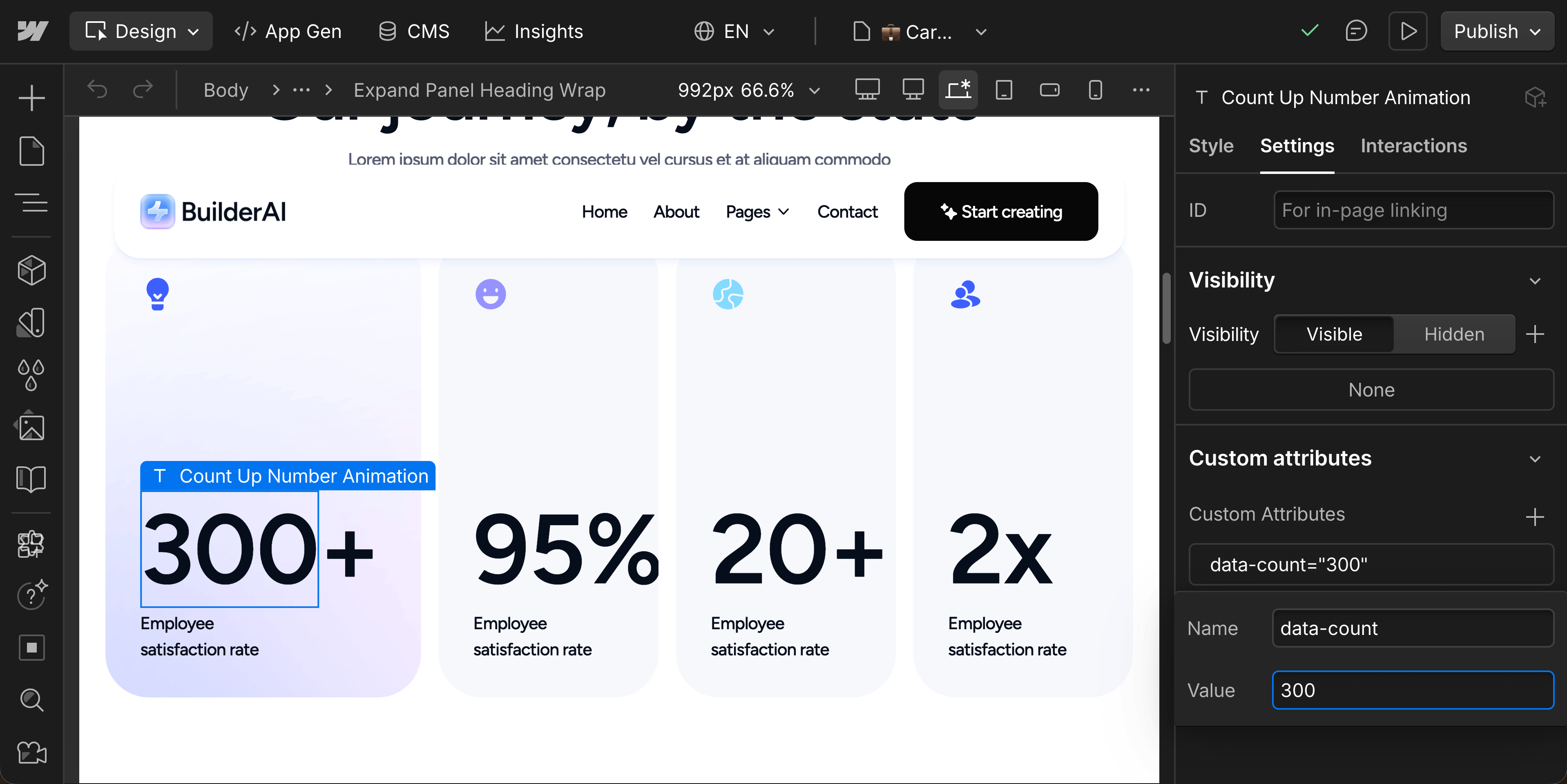
- A custom attribute on that same element: data-count with your target number
Step-by-Step Setup
- Select the text element that will display your number
- If you want only part of the text to animate (like "80+" where only "80" animates), wrap just the number portion in a Span
- Add the class Count Up Number Animation to the span (or text element)
- Click on the element's settings on the right sidebar and add a custom attribute:
- Name: data-count
- Value: your target number (e.g., 300)
Adjusting Speed
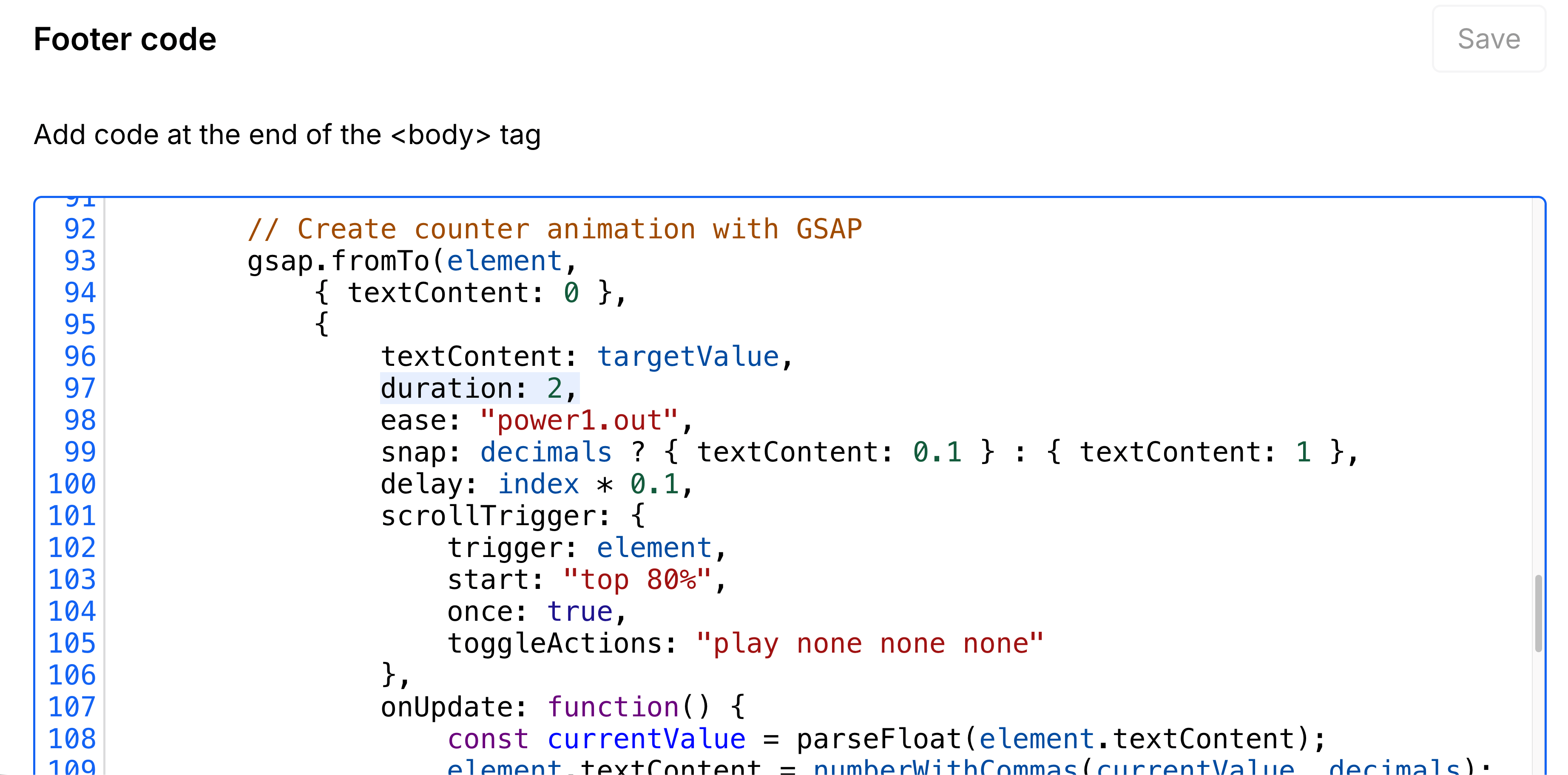
If you want to change the counter's speed, you'll need to modify the duration value in the custom code. The value is measured in seconds (eg. 2 gives it a duration of 2 seconds), you need to look for this line:
Number formatting
The counter automatically formats the values into thousands:
- data-count="5000" will be displayed as 5,000
- the data-count number shouldn't be separated by commas, the counter will do it automatically
Decimal Numbers
The counter automatically detects if your target number has decimals and it'll animate them too:
- data-count="5" will count whole numbers: 0, 1, 2, 3, 4, 5
- data-count="5.5" will count with one decimal: 0.0, 1.1, 2.2... 5.5
Multiple Counters
You can have multiple counters on the same page. Each counter:
- Animates independently when it enters the viewport
- Has a small staggered delay so they don't all start at once
- Only animates once (won't re-animate if you scroll back up)
Designer visualization
The number that you see in the designer will be overridden by the value set on the Custom Attribute, but you may still set the correct number on the designer for easier visualization.
Troubleshooting
Counter Animation Not Working
Problem: Numbers don't count up
- Check: Does your element have the class Count Up Number Animation?
- Check: Did you add the custom attribute data-count with a number value?
- Check: Are ScrollTrigger and SplitText plugins enabled in Settings > GSAP?
Problem: Counter shows "0" or "NaN"
- Check: The data-count value should only contain numbers (and optionally one decimal point)
- Wrong: data-count="200+"
- Right: data-count="200" (add the "+" as regular text outside the counter element)
Problem: Multiple counters start at the same time
- This is expected behavior. The slight stagger is automatic but subtle.
Need support?
If you need help customizing these scripts or run into any issues not covered in this documentation, please email us at:
We're here to help you make the most of your Investflow Webflow template!